Nothing is public until you publish
However much you have filled in, your page is not visible to anyone until you press the button. You can start it, leave it half done, and come back another day.
Before it can go live it needs four things:
- a name
- a welcome
- a schedule that shows classes
- a picture, with a description
If any are missing, the admin tells you which.
Your two addresses
Once published you have both of these, shown at the top of the Landing page screen with a copy button beside each:
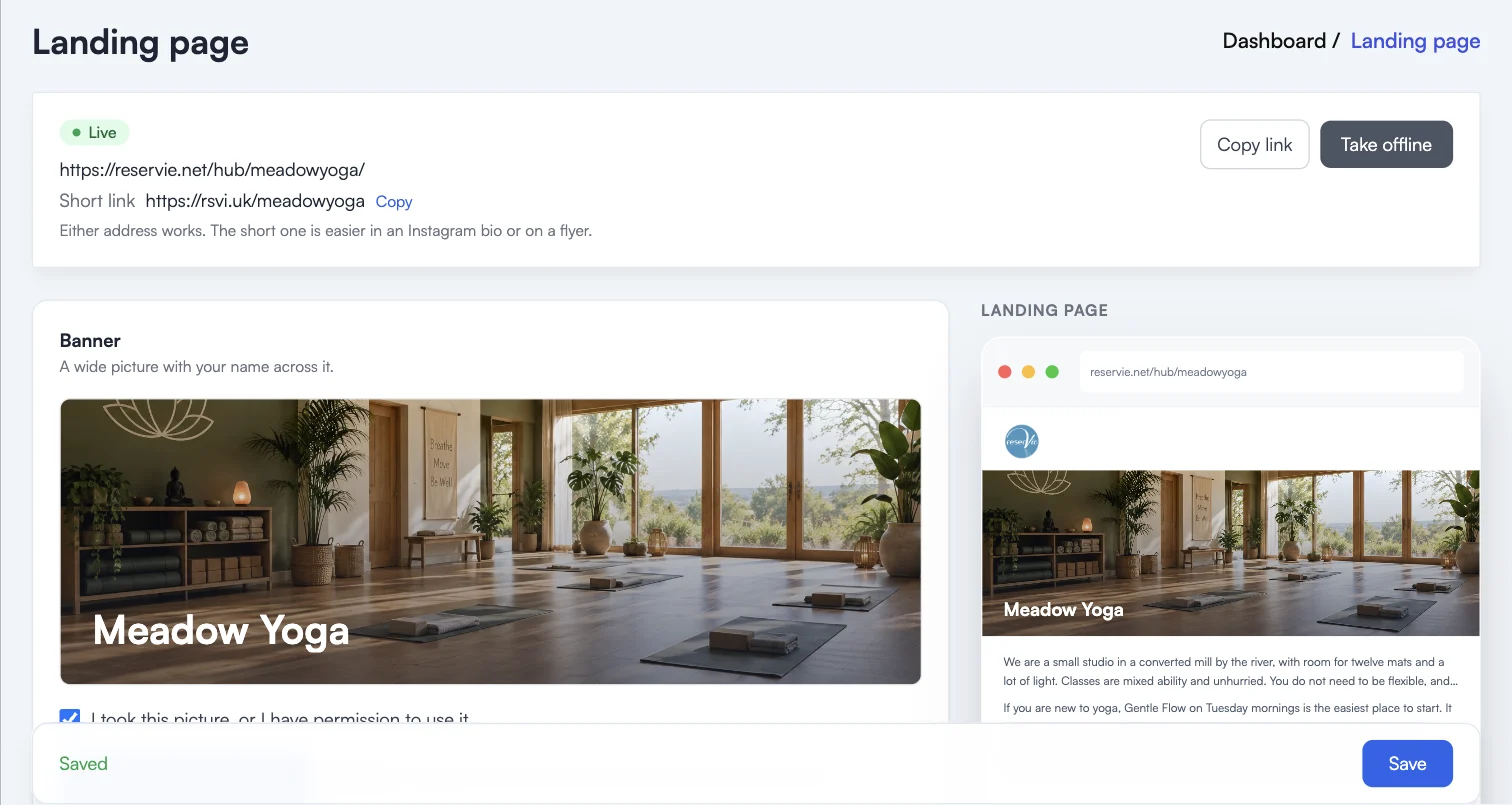
The full address is reservie.net/hub/{studio}/, where {studio} is your reservie subdomain. The short one is rsvi.uk/{studio}, created for you when you publish, and it simply redirects to the full address.
Either works. The short one is easier in an Instagram bio, on a flyer, or read out over the phone.
Once your page is live it can be found by search engines.
Changing a published page
Everything stays editable from the same screen, and saving puts the change live. You do not go back through the four steps.
How people reach you controls what appears at the foot of your page. Your address, website, email and phone each have a switch, and the details come from Settings rather than being typed again. Your Instagram and Facebook addresses are entered here.
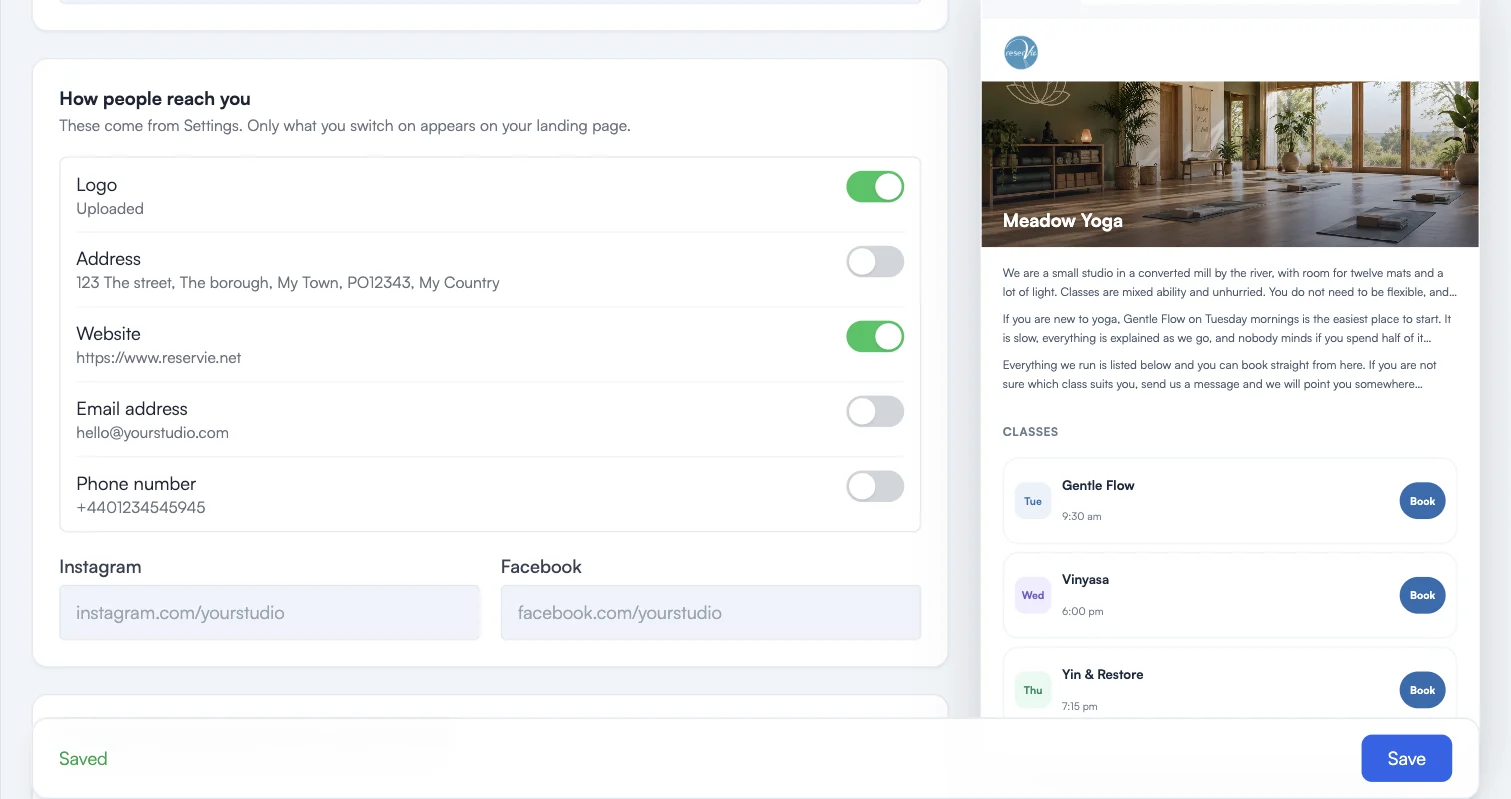
Your terms and privacy links are not switches. A page that takes payments shows its own terms.
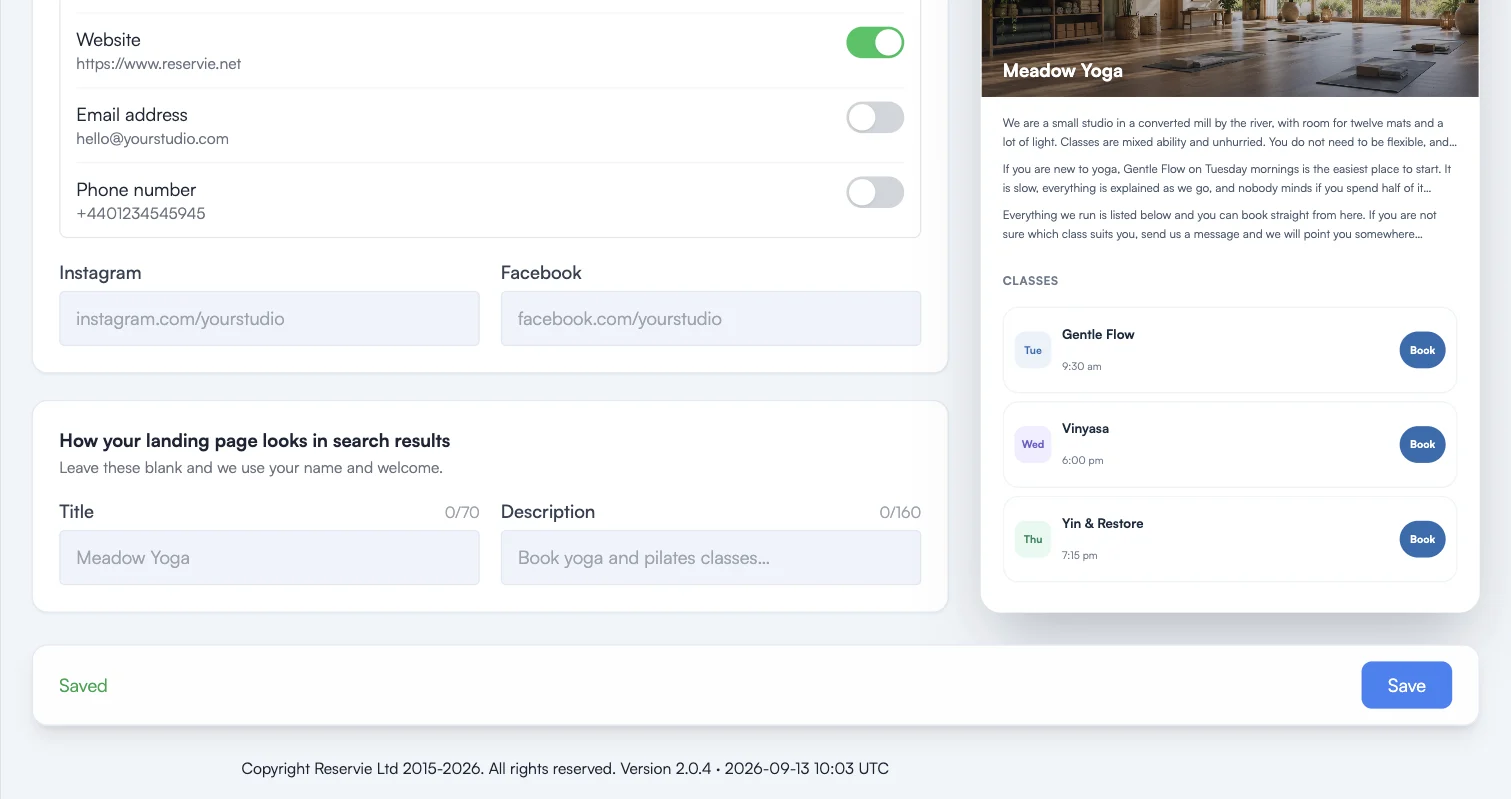
How your landing page looks in search results sets the title and description a search engine shows. Leave both blank and your name and welcome are used, which is usually fine. Fill them in if you want to be deliberate about the words someone sees before they click.
Taking it offline
Take offline removes the page from public view at once.
Nothing is deleted. Your words, your picture and your settings are kept, and publishing again puts everything back exactly as it was in a single click. You do not redo the four steps.
While the page is offline the address behaves as it did before you had a landing page: anyone visiting it is sent to your booking pages instead, so no one hits a dead link.