
Four ways of looking at the same thing
The appointments page opens on a list, but there are four buttons at the top: List, Month, Week and Day. They all show the same diary. Switching between them changes nothing about your bookings or your availability, so click about until you find the one that suits you.
Most people settle on one for daily use and dip into the others when they need a different angle.
List: what is happening next
This is the one the page opens on, and for most days it is the only one you need.
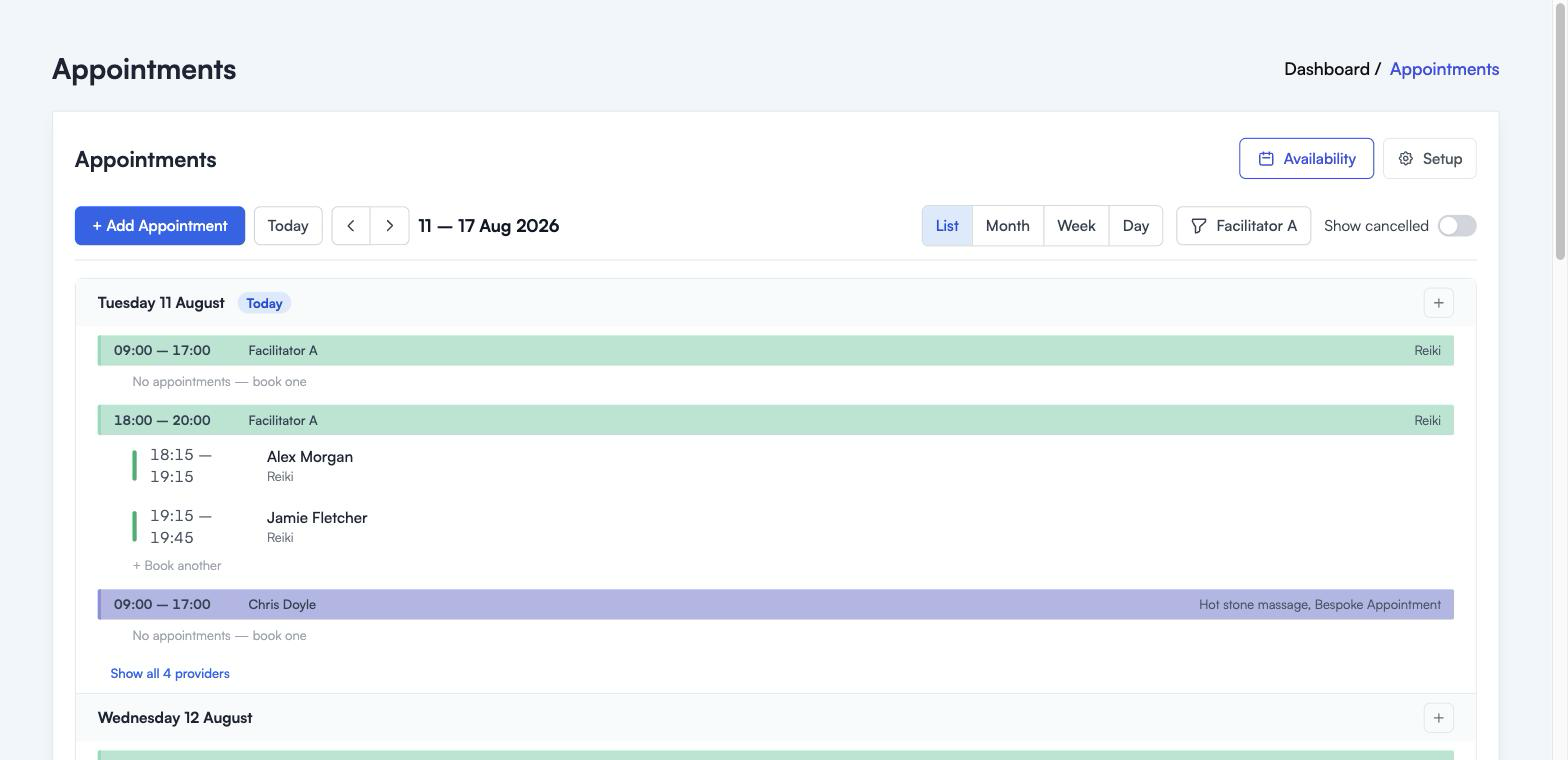
It runs through the week a day at a time, with today marked.
Each coloured bar is a window you have opened up: the hours, who is working, and what they can be booked for on the right. Underneath each bar are the appointments booked into it, with the time, the customer and what they are booked in for.
Empty windows say “No appointments, book one” rather than sitting there blank, and there is a “Book another” link under windows that already have someone in them. Both take you into the booking form for that window, so you are not retyping the date and time.
List shows everybody, not only the person you have selected elsewhere. To keep it readable it shows three at a time, with “Show all 4 providers” at the bottom of the day to open the rest.
The small plus button on a day heading offers to book an appointment or open a new window on that day.
Month: the shape of the month
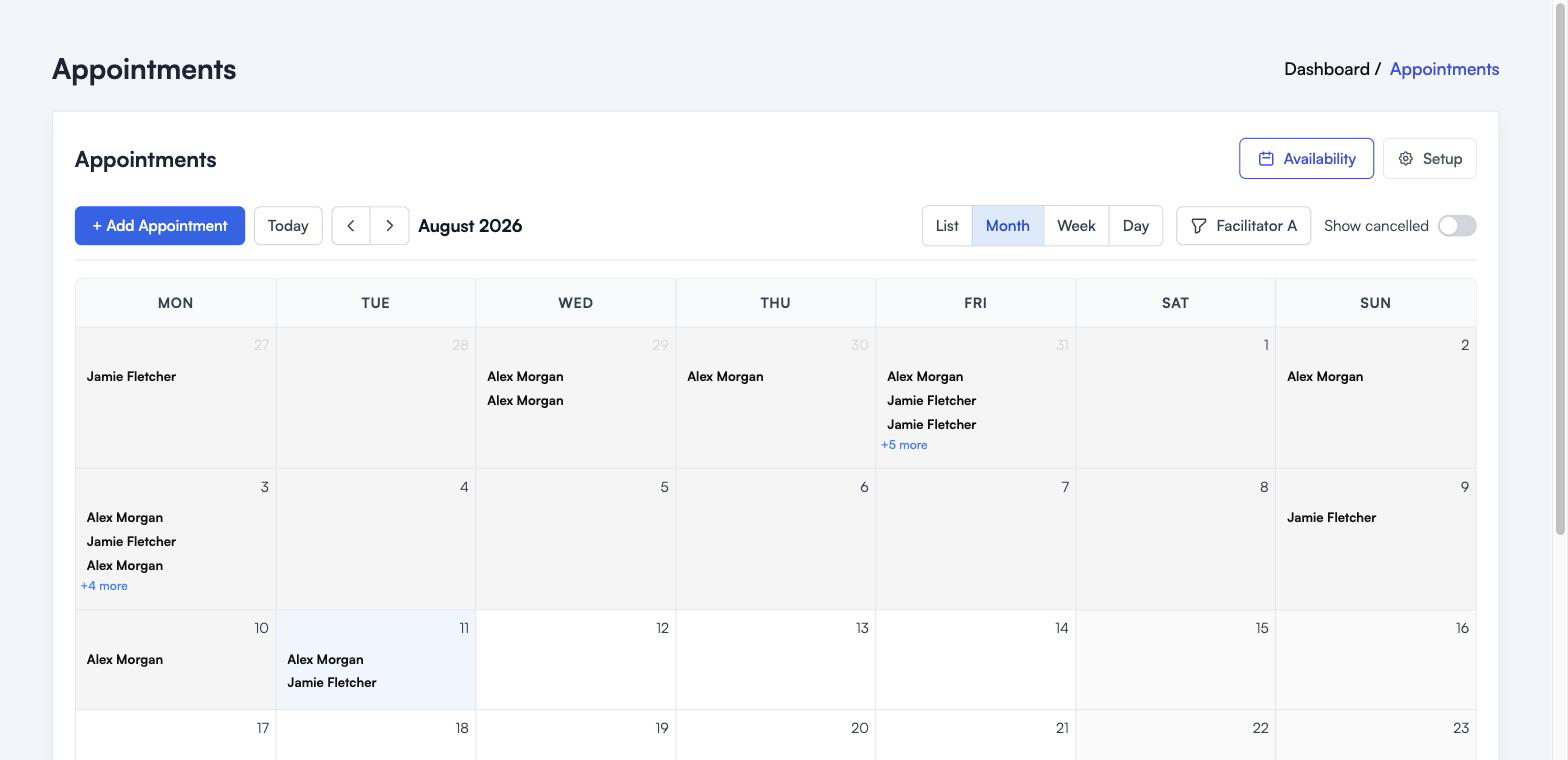
Month is for standing back. Which weeks are filling up, which are empty, is that Friday going to be a long one.
It shows the customer names on each day, most recent first, with “+5 more” where a day is too busy to fit. It does not show your open hours, only booked appointments, so an empty looking day might be one you never opened up in the first place.
Good for planning a holiday around. Not good for the detail of a single day.
Week: your working week
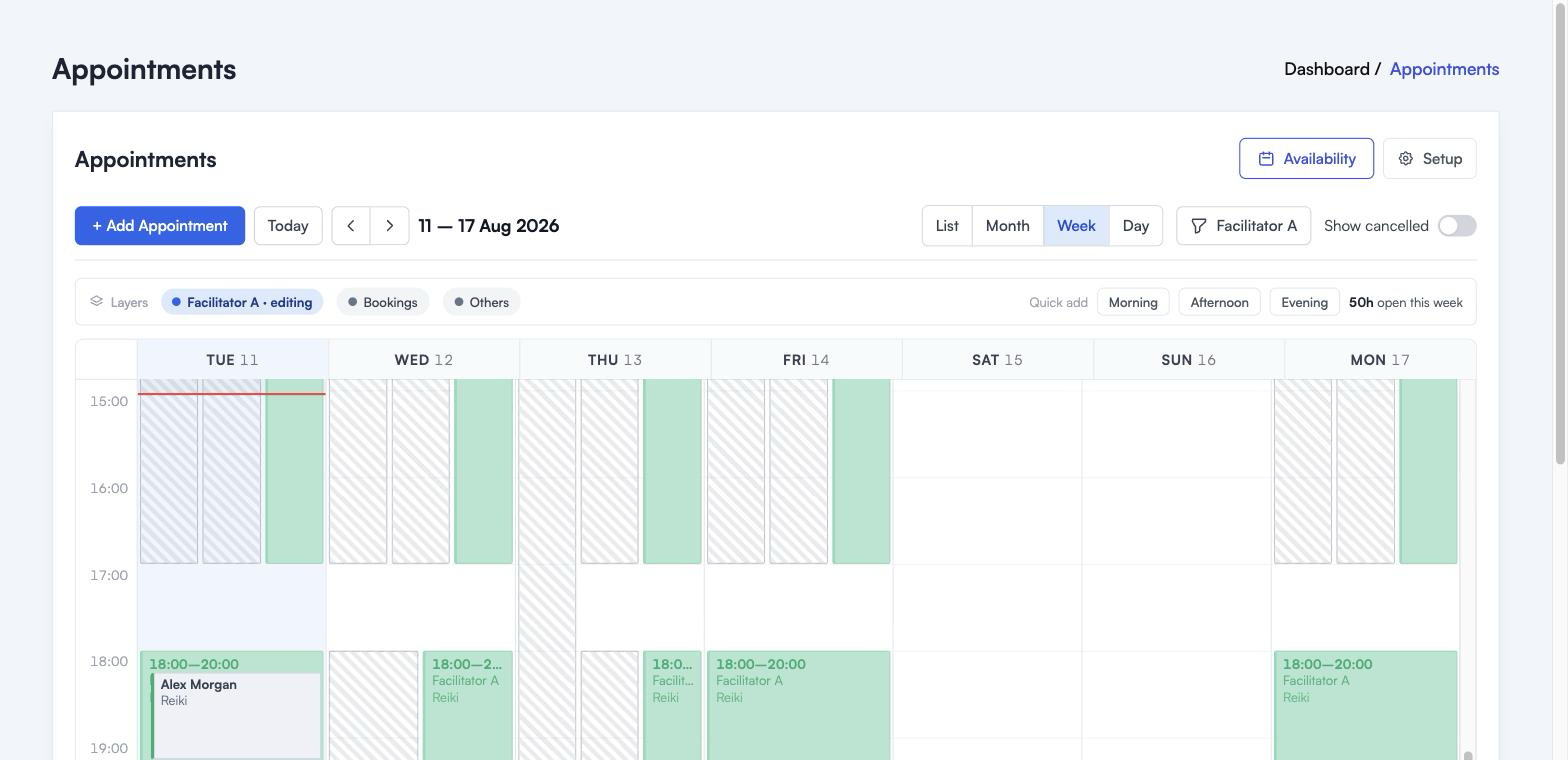
Week is the workhorse. Seven columns, hours down the side, and everything laid out where it actually sits in the day.
Solid blocks are the hours you have opened up for the person named in the Layers bar. Striped blocks are your other facilitators. Bookings appear inside the window they belong to, with the customer’s name.
This is also where you set availability, by dragging down a column. See Setting your availability for that.
Day: one day, up close
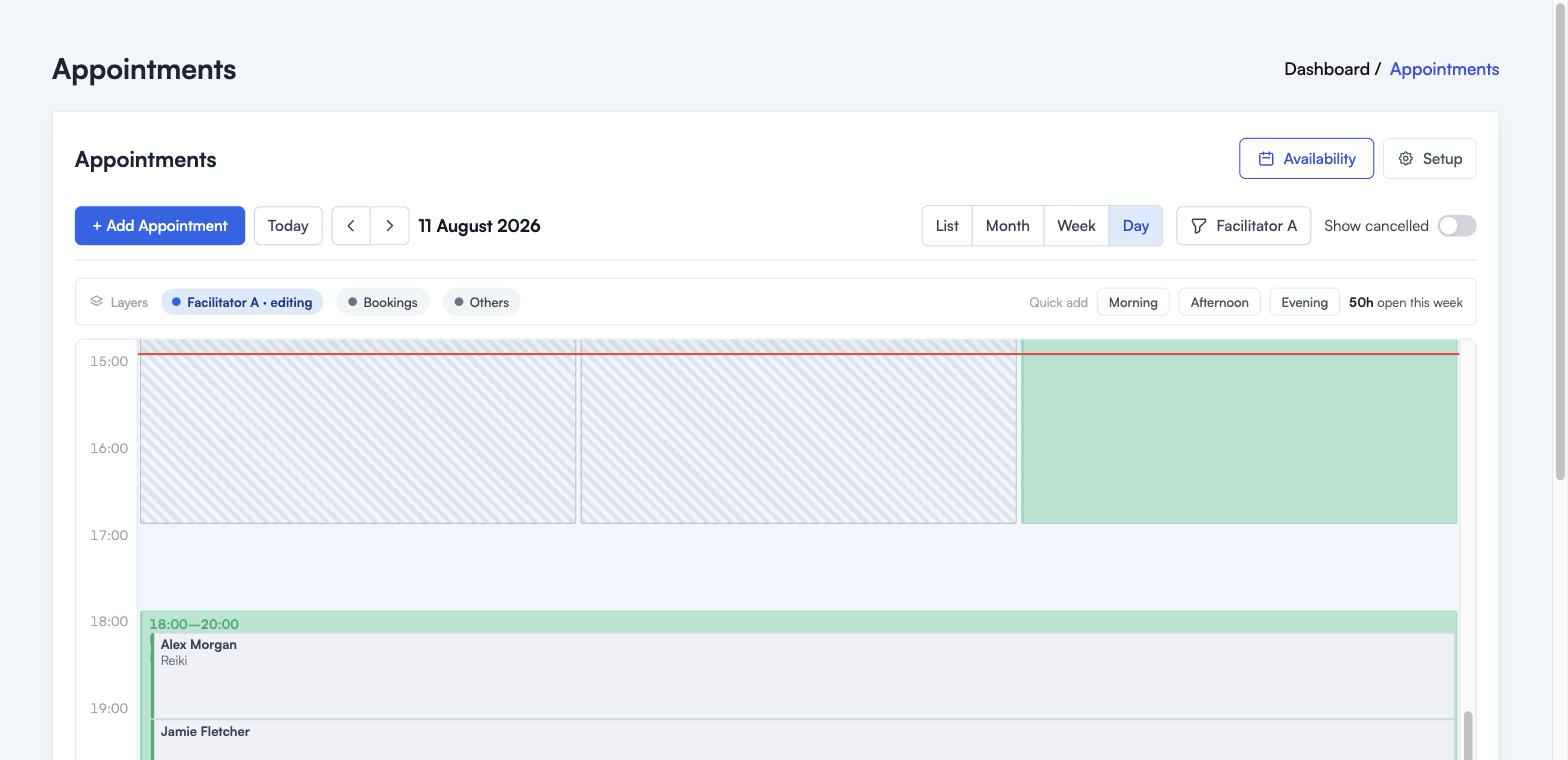
Day gives one date the whole width of the screen. Each open window gets its own column, side by side, so if three people are working on Saturday you can see all three at once without squinting.
Use it on your busiest day, or when two facilitators share a room and you need to see how the timings line up.
Which one to use
- Running the day: List
- Setting up your hours: Week
- Checking a busy day: Day
- Planning ahead: Month
The buttons around the calendar
These sit above every view.
Today jumps back to the current date, wherever you have wandered off to. The arrows either side of the date move you forward and back, by a week in List and Week, a month in Month, a day in Day.
The date label tells you what you are looking at, and it changes with the view: a week range in List and Week, “August 2026” in Month, a single date in Day.
The facilitator button picks whose availability you are working on. It affects Week and Day, where one person’s hours are drawn solid and everyone else’s are striped. List and Month always show everybody.
Show cancelled brings cancelled appointments back into view. Leave it off day to day, turn it on when you are chasing what happened to a booking.
Where to go next
- Setting your availability for opening up bookable hours
- Booking appointments for taking a booking yourself
- Appointments overview for how the whole thing fits together