
Overview
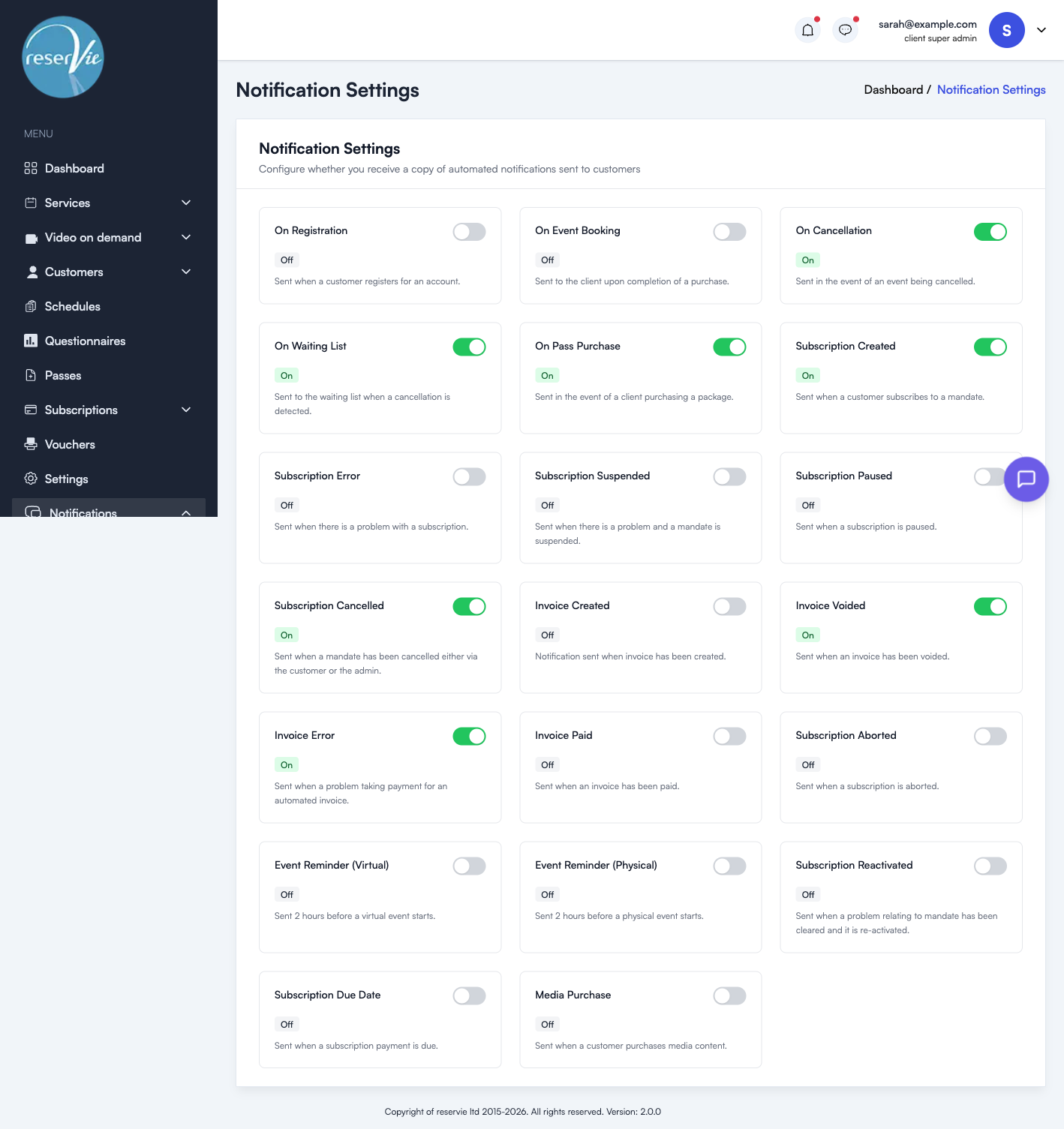
Copy Settings allow you to choose which automated customer notifications you also receive a copy of. This is useful for keeping track of bookings, cancellations, and subscription activity without having to check the admin panel.
Navigate to Notifications > Settings in the sidebar menu.
How it works
Each notification type has an On/Off toggle. When set to On, you receive a copy of that email every time it is sent to a customer. When set to Off, only the customer receives it.
Class reminders work slightly differently: with the toggle On you receive one summary report per class date, listing who was reminded and how many places each holds, rather than a copy of every customer’s reminder.
Available notification types
| Notification | Description |
|---|---|
| On Registration | Sent when a customer registers for an account |
| On Event Booking | Sent to the customer when a class booking is completed |
| On Cancellation | Sent when a class booking is cancelled |
| On Waiting List | Sent to the waiting list when a place comes free |
| On Pass Purchase | Sent when a customer buys a pass |
| Event Reminder | Sent before a class starts, virtual or in person. Your copy is a summary report per class date |
| Subscription Created | Sent when a customer subscribes to a mandate |
| Subscription Suspended | Sent when there is a problem and a mandate is suspended |
| Subscription Reactivated | Sent when a problem with a mandate has been cleared and it is reactivated |
| Subscription Cancelled | Sent when a mandate is cancelled, by the customer or by you |
| Invoice Created | Sent when an invoice is created |
| Invoice Paid | Sent when an invoice is paid |
| Invoice Error | Sent when there is a problem taking payment for an automated invoice |
| On Appointment Booking | Sent to the customer when an appointment is booked |
| Appointment Reminder | Sent before an appointment starts |
| Gift Voucher Delivery | Sent to the recipient when a gift voucher is delivered |
| On Appointment Cancellation | Sent when an appointment is cancelled |
| Email Verification Code | Sent to the customer during registration to verify their email address |
| Account Deletion | Sent to the customer when you start deleting their account, only if you choose to notify them |
Tips
- Enable copies for On Cancellation and Subscription Cancelled to stay informed when customers leave.
- Enable Invoice Error to catch payment problems early.
- Keep booking copies off if you take many bookings; the dashboard and reports show the same information without filling your inbox.
Related settings
How dates and times are written in these emails, including 12 or 24-hour times and the layout of the {dates} list, is set under Settings → Notifications in the main Settings area. See Email Template Placeholders.