Overview
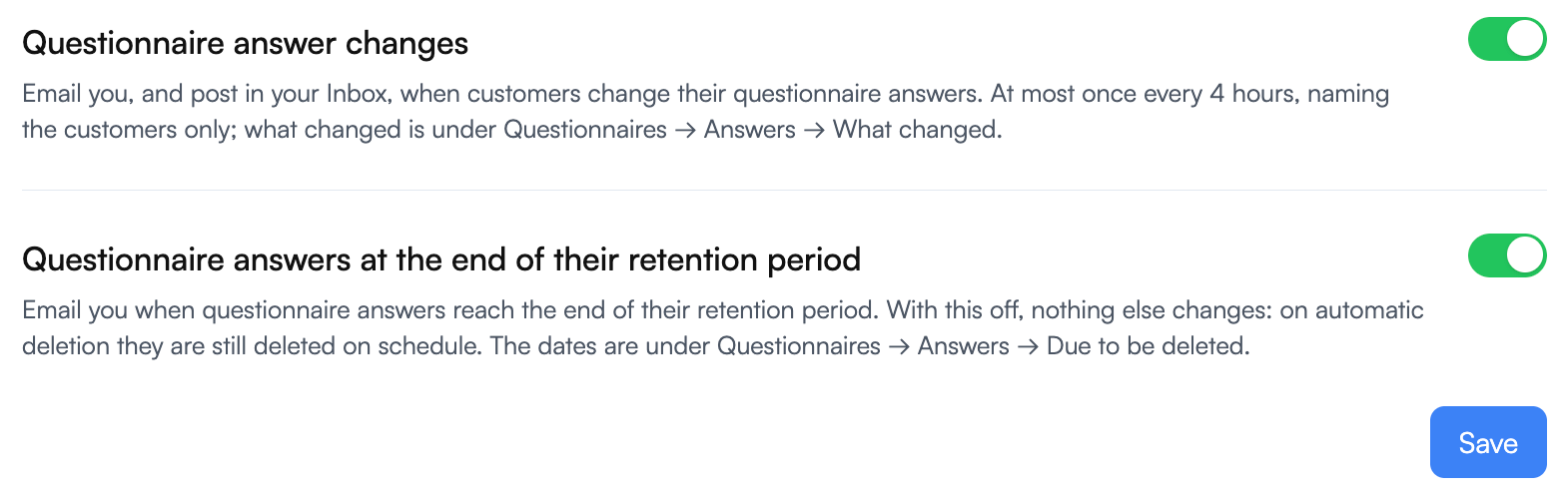
reservie can email you about questionnaire answers. There are two emails, and both start off. Turn on the ones you want in Settings → Notifications.
They’re sent to your company email address, the one in your company details.
Neither email ever includes the answers themselves, only who and when. You read the answers in reservie.
Questionnaire answer changes
Turn this on to hear when customers fill in a questionnaire or change their answers.
- What you get: an email titled Customer questionnaire answer update report, and a message in your reservie Inbox.
- When: when customers fill in or change their answers, at most once every 4 hours.
- What it says: each customer’s name, what they did and when, and which questionnaire.
The email and the Inbox message both link to Questionnaires → Answers → What changed, where you can see the details. See What changed.
Questionnaire answers at the end of their retention period
Turn this on to hear when answers reach the end of their retention period.
- What it says: each customer’s name, the questionnaire, and the date they last confirmed their answers. A Review button opens the Due to be deleted tab.
- When:
- With automatic deletion on, you’re emailed 30 days before, with the subject Questionnaire answers are due to be deleted on and the date.
- With automatic deletion off, you’re emailed once, with the subject Questionnaire answers past their retention period.
Turning this email off only stops the email. If automatic deletion is on, answers are still deleted on their date. See Due to be deleted.