
Overview
Each questionnaire has a retention period, set in the questionnaire editor. Due to be deleted lists the answers that are past the end of that period, or will be within the next 30 days.
Go to Questionnaires → Answers in the sidebar menu, then open the Due to be deleted tab.
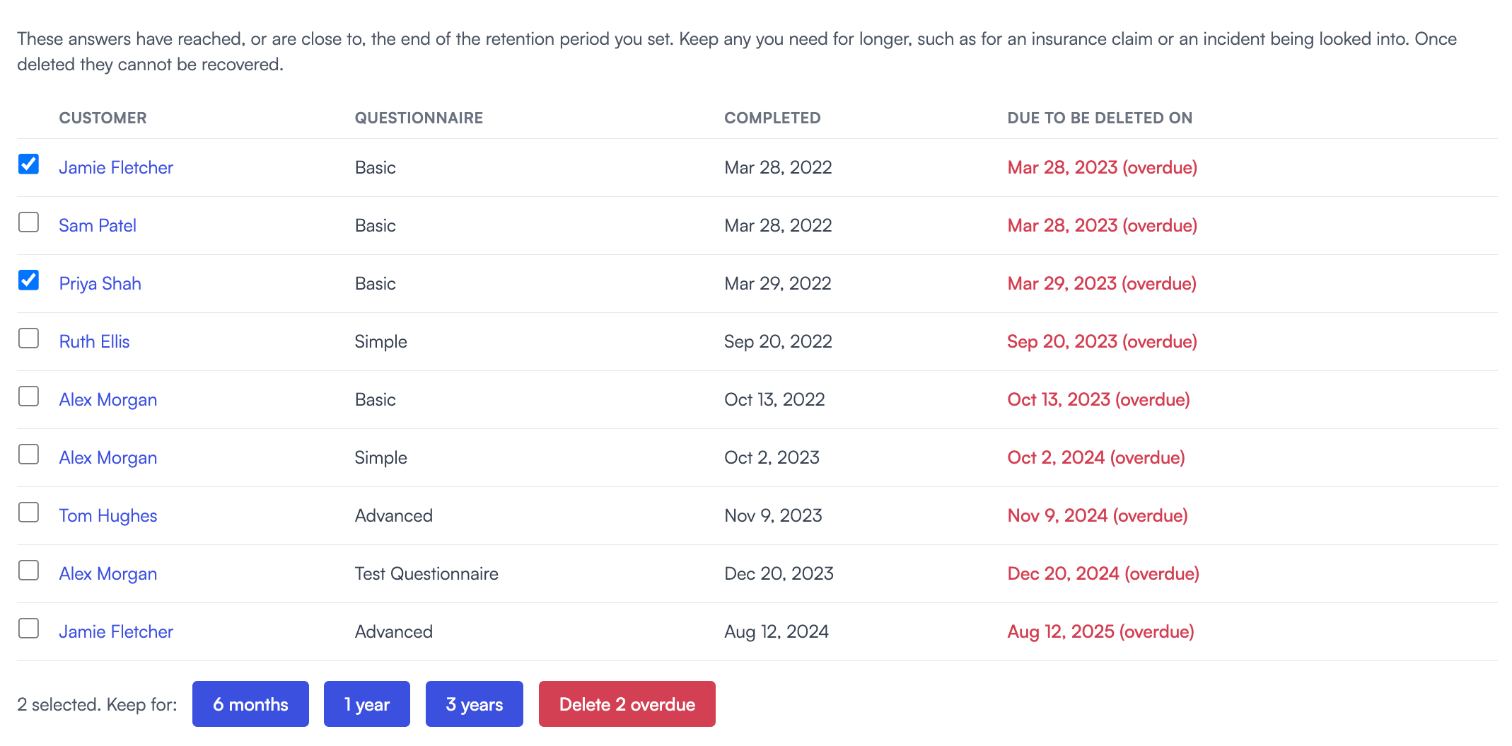
The list shows the Customer, the Questionnaire, when it was Completed, and the date it’s Due to be deleted on. Answers already past their date are marked overdue.
Deleting by hand or automatically
What happens when answers reach their date is set in Settings → Data Management, with the switch Delete automatically when the retention period ends. It starts off. See Data Management.
Off (the default). Nothing is deleted unless you delete it on the Due to be deleted page. reservie emails you once when answers pass the end of their retention period, if you’ve turned that email on.
On. Answers are deleted automatically when their retention period ends. reservie emails you 30 days before, so you have time to keep any you need. You’re asked to confirm when you turn it on.
If some answers are already overdue when you turn it on, they aren’t deleted straight away. They’re deleted 30 days later, the same as any other answer, so you still have time to keep any you need.
Keeping answers for longer
You might need to keep answers past their date, for example for an insurance claim or an incident you’re looking into.
- Tick the answers you want to keep.
- Next to Keep for, click 6 months, 1 year or 3 years.
Deleting overdue answers
- Tick the overdue answers you want to delete.
- Click Delete overdue (it shows how many, for example Delete 2 overdue), then confirm.
Deleted answers can’t be recovered. The customer’s bookings, passes and history aren’t affected. Next time they book, they fill in the questionnaire again from the start.
Being told when answers are due
To be emailed about answers reaching the end of their retention period, turn on Questionnaire answers at the end of their retention period in Settings → Notifications. See Questionnaire emails.