
Overview
Settings → Data Management is where you choose what happens to customer data that you no longer need to keep.
Questionnaire answers
Each questionnaire has a retention period, set in the questionnaire editor. The switch Delete automatically when the retention period ends decides what happens when answers reach the end of it. It starts off.
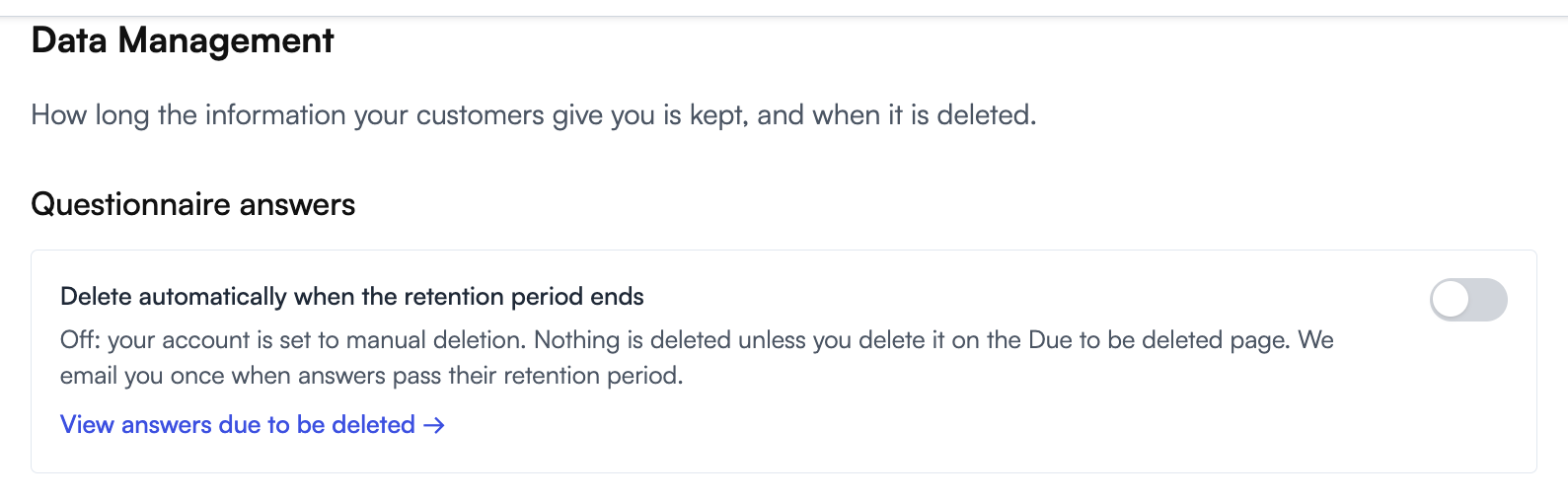
Off (the default). Nothing is deleted unless you delete it on the Due to be deleted page. reservie emails you once when answers pass the end of their retention period, if you’ve turned that email on.
On. Answers are deleted automatically when their retention period ends. reservie emails you 30 days before each deletion, so you have time to keep any you need. You’re asked to confirm when you turn it on.
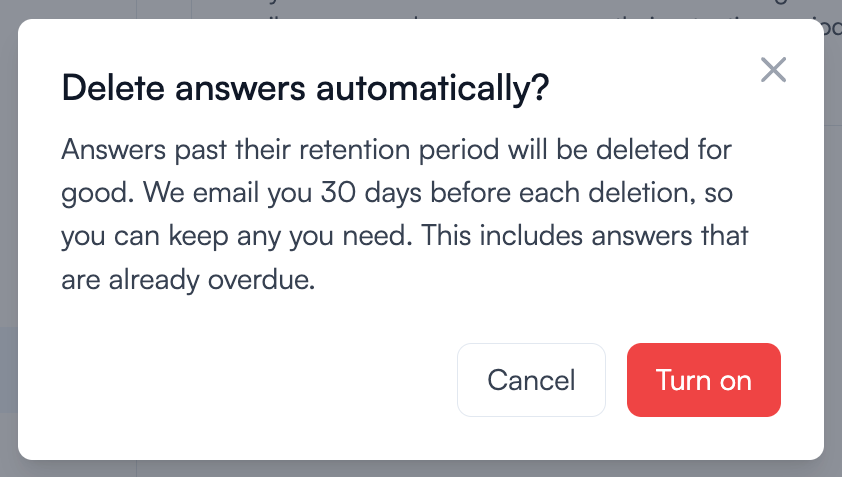
If some answers are already overdue when you turn it on, they aren’t deleted straight away. They’re deleted 30 days later, the same as any other answer.
View answers due to be deleted opens the list, where you can keep answers for longer or delete overdue ones. See Due to be deleted.
The emails are set in Settings → Notifications. See Questionnaire emails.