
How to move a video
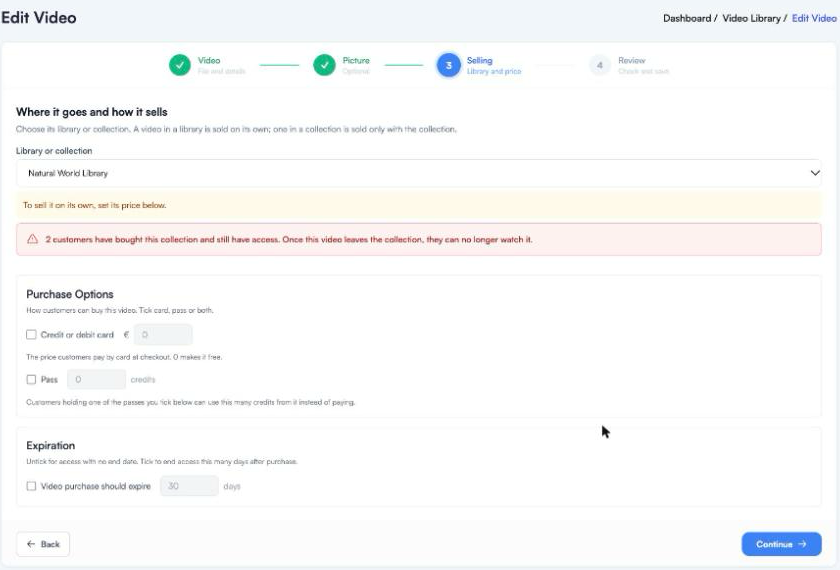
Open the video’s ⋮ menu and choose Move to…. The video editor opens at the Selling step. Pick the new library or collection from the list, check the message underneath, and continue to save.
What happens
| Move | What changes |
|---|---|
| Library to library | Only where it is kept. Its price and settings stay the same. |
| Library to collection | It is now sold only with the collection, so its own price is removed. Its own buy-now link stops working. |
| Collection to library | Customers who bought the collection no longer have it. Set a price if you want to sell it on its own. |
| Collection to collection | Customers of the old collection lose it, and customers of the new one get it. |
When customers would lose a video
If a move takes a video away from people who have paid, the editor shows a red warning with how many customers are affected. When you save, it asks you once more before it goes ahead.
If you are not sure, leave it where it is. Nothing changes until you save.