What Video on Demand is
Video on Demand lets you sell recorded classes. Customers buy them from your booking page or a link you share, then watch them in their account whenever suits them.
You can sell a video in two ways:
- On its own. One video, one price.
- In a collection. A course or series sold as one item, such as “6-week Yin course”. One purchase opens every video in it, including any you add later.
You can upload your videos, or add ones you already have on YouTube or Vimeo as links (see Adding YouTube and Vimeo videos).
Everything lives under Video on demand in the menu.
Video on Demand is an add-on with three plans, from £12 a month. Each sets how many videos you can keep and how much your customers can watch each month. See Video plans and your viewing allowance.
Libraries and collections
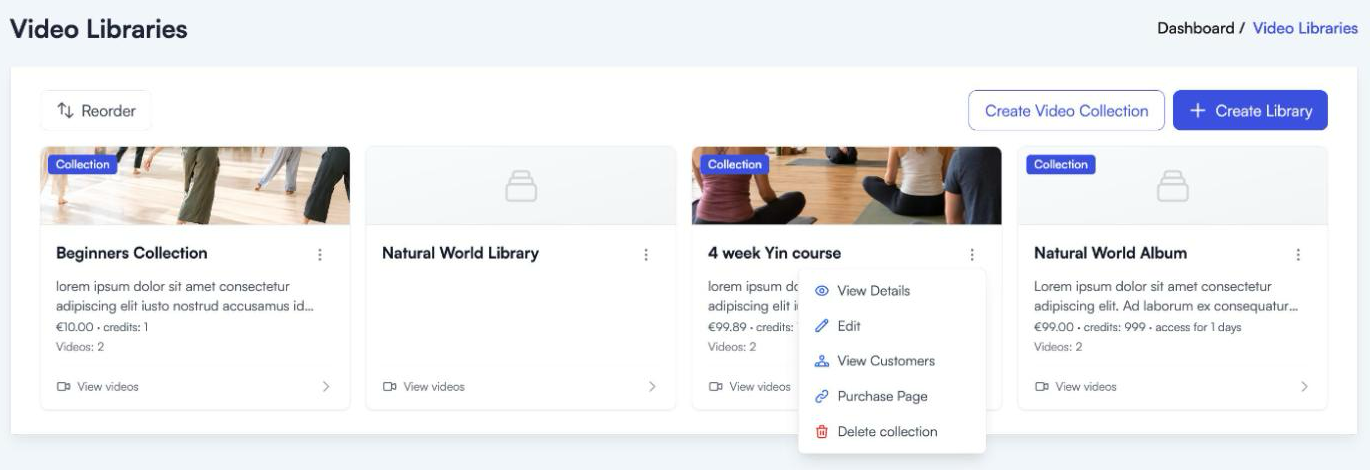
Every video sits in a library or a collection. The difference is how it sells.
| Library | Collection | |
|---|---|---|
| What it is | A folder to keep videos tidy | A course or series sold as one item |
| How its videos sell | Each on its own, at its own price | Only together, at the collection’s price |
| Cover picture | No | Optional |
The guides
- Libraries and videos: create a library, upload, edit and delete videos
- Collections: create, edit and delete a collection
- Moving a video between libraries and collections
- Giving a customer access by hand
- Buy-now pages: links and buttons that sell one video or collection
- Videos on your booking page
- Video plans and your viewing allowance
- Adding YouTube and Vimeo videos you already host
- What your customers see once they have bought